2025-11-14

2025.11.14_Backup solution using "synchronize directories" from Double Commander explained for beginners

To protect your important files and avoid losing them, you need to create at least one backup of them. That means you have to create a copy of those files on a relatively safe location, like renting a cloud storage service, or copying the files on another data support you own yourself (kept separately of your computer) such as Hard disks, SSD's, USB memory sticks, tape drives, DVD's, etc.

To back up your files you can employ a dedicated program to make the backup for you, or you can do it manually using "synchronize directories" from Double Commander (free GPL license) or Total Commander (shareware).

Synchronizing a folder structure between your home computer, work computer and external Hard Disk Drive or USB stick, is most useful when you have a bunch of files and folders you modify frequently and want to have the latest version on all devices. It also gives you instant access to your backed up files. We will focus on this.

Once you have a backup storage drive like an external HDD for example, you just need to copy the folders with your important files on it and keep it safe. This is your first backup.

The problem arise when you frequently add/delete/modify many files in folders/subfolders and want to update the backup with the latest changes. To simply delete all the files from the external HDD and copy them again is counter productive because probably most of them remain unchanged. 

So, to add/delete/modify only the added or changed files, use Double Commander. It can be downloaded from:

- the official site https://doublecmd.sourceforge.io

- or from a mirror site like Softpedia https://www.softpedia.com/get/System/File-Management/Double-Commander.shtml

- or Major Geeks https://www.majorgeeks.com/files/details/double_commander.html

You can install it in your system or simply use the portable version.

After the program is installed and running, to synchronize your folders you need to open and select on Double Commander’s two window, the same folders on both drives you want to synchronize, in my example F:\ and H:\ and then from the menu: Commands > Synchronize dirs.


This will bring you to a window that looks like that:


You need to select “only selected” and “subdirs” and to show everything except the equal files. Then hit “Compare”.

Here the options are straightforward. Since this selection will show you only the modified files, you can easy replace the old files with the new ones on the backup drive, or if you know one of your newer file is wrongly modified, you can right-click on it and change the copy direction with “select for copying → (left to right)” to restore the older file from the backup.


Or delete files you don’t need. Or deselect files you don’t want to be synchronized. Once all these operations are done, hit “Synchronize” and the copying/overwriting process will start. At the end it will show you again the differences between the two synchronized folders (if there are any).

This should be it. If something is not clear, please write on the comments. Good luck with your backups.

2025-10-31

2025.10.31_Spreadsheet Calendar by Tyr Antilles

Since a long time I wanted an easy to understand calendar where I can add my custom-made events, interests, counters, ideas and to-do's. A calendar where I can see all my planned events at once and I can modify them with ease. I tried all kind of applications and web services but each one of them proved to be hard to use, hard to spot the entries and limited in too many ways.

My solution was a spreadsheet customized for my own taste where I can see everything at once and easy to upload on the cloud if needed.

If anyone else want to try my solution, I post here a table head with some examples of how it can be used. It can easy be changed, columns renamed, deleted, added and perhaps customized im many other ways I didn't think of.

ODS format for LibreOffice:
2025.10.31_Spreadsheet Calendar by Tyr Antilles.ods

XLSX for Microsoft Excel:
2025.10.31_Spreadsheet Calendar by Tyr Antilles.xlsx


Enjoy.


2025-07-04

2025.07.04_8BitDo Retro 108 Fami Edition Mechanical Keyboard

 At the end of the last year (2024) I read a Techspot article about new 8BitDo mechanical keyboards ready to be launched. (https://www.techspot.com/news/105501-8bitdo-introduces-full-size-retro-mechanical-keyboard-variants.html)


That's how I saw the first pictures of 8BitDo Retro 108 Mechanical Keyboard and I was sold. Especially the Famicom edition was looking great in my eyes. Several months later I got my hands on it and boy, that's a beauty of a keyboard.

The real thing was every bit as awesome as I imagined it would be, from the exquisite polishing of the keys of the valilla ice cream color, to the sturdy construction and flawless typing experience, everyting was to like on it.

The keys inscribed with japanese hiragana symbols make a pleasant clicking sound every time I press them. Their shape, the distance between keys and key travel are so well optimized that typing on it is not only faster then on my old keyboard, but also a joy.

Here is a link to the official site: https://www.8bitdo.com/retro-108-mechanical-keyboard/

And here some real photos with my new favorite keyboard:


2025-06-24

2025.06.24_HEROES OF MIGHT AND MAGIC III: HORN OF THE ABYSS (HoMM3 HotA)

Horn of the Abyss is the 4th expansion of Heroes III after Shadow of Death. Even if is a fan-made expansion, its quality is outstanding, on par with 3DO work or even better. It features new campaigns, new towns, new artifacts, balances the game and most important, it repairs the bugs left on Heroes III Shadow of Death.


HotA started as a MOD for Heroes III SoD, but ended as a full expansion of the original game.

1. Heroes of Might and Magic III: The Restoration of Erathia 

2. Heroes of Might and Magic III: Armageddon's Blade

3. Heroes of Might and Magic III: The Shadow of Death

4. Heroes of Might and Magic III: Horn of the Abyss


Latest version: 2025.06.08 : HotA 1.7.3


Installation instructions:

1.- First, Heroes III Complete or Heroes III Shadow of Death have to be installed : https://www.gog.com/game/heroes_of_might_and_magic_3_complete_edition

2.- In the same folder install over it Heroes III Horn of the Abyss : https://www.gog.com/en/game/heroes_of_might_and_magic_iii_horn_of_the_abyss

3.- In the same folder install the latest HoMM3 HD Patch : https://sites.google.com/site/heroes3hd

4.- Launch HoMM3 HD (HD_Launcher.exe) and update it to the latest version using the "Update" button from bottom-left. On HoMM3 HD Launcher window select:
- On the top-left corner select h3hota HD.exe to play Horn of the Abyss, or Heroes3.exe to play Shadow of Death or Heroes III Complete
- Source size: select your desired resolution. Full Screen Mode is recommended (you can anytime press F4 while in game to play in windowed mode).


* * *


HotA HISTORY:

HotA is a mod crafted by the Russian-speaking Heroes community for Heroes of Might and Magic III: The Shadow of Death. It is the first fan mod in the history of the entire series to successfully add an all-new town, without replacing any other factions in doing so. The project was conceived on April 30, 2008 and has remained in active development since, with the first public version released on December 31, 2011.

A sudden dispute within the HotA development team significantly crippled its progress, and for months on end it seemed certain that it would never be released. A disgruntled insider leaked a bugged beta version, which included a playable yet crash-prone first version of the Cove town, but nothing official immediately followed. However, in 2011, the team regrouped in a redoubled effort to finish version 1.0, and triumphed by the (very) end of the year in delivering the Cove, Heroes of Might and Magic III's de facto tenth town (with a small campaign).

The aim of the project is to create an add-on for Heroes of Might & Magic III SoD\Complete with lots of new features. The team is focusing on the QUALITY of all new HotA features and that means the maintenance of original game balance, and by making all new graphic materials in the original heroes style.


Useful links:

- HotA official site : https://h3hota.com/en/documentation

- HotA forum mega-thread : http://heroescommunity.com/viewthread.php3?TID=39830

- HotA official thread russian : http://forum.df2.ru/index.php?showforum=90

- HotA on Facebook : https://www.facebook.com/h3hotaofficial

- HotA mirror with all released versions on the expansion : https://www.moddb.com/mods/horn-of-the-abyss/downloads

- Maps : www.maps4heroes.com : http://www.maps4heroes.com/heroes3/maps.php?keywords=&type=hota&size=&difficulty=&sort=2

- Maps : heroesportal.net : http://heroesportal.net/maps.php?type=H3HA

- For HotA trailers, tutorials and infos just search Youtube for "Horn of the Abyss"

2025-05-04

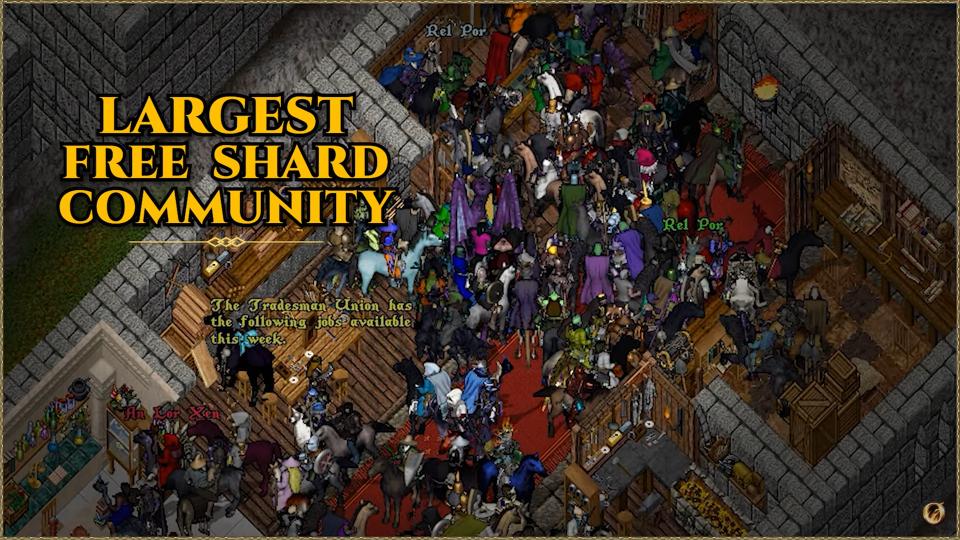
2025.05.04_This Is Outlands Ultima Online

 This Is Outlands!

The world's largest and most innovative Ultima Online freeshard, is still going strong after 6.5 years with no signs of slowing down.


PLAY FOR FREE.

https://www.youtube.com/watch?v=GeWAYhlL5xE