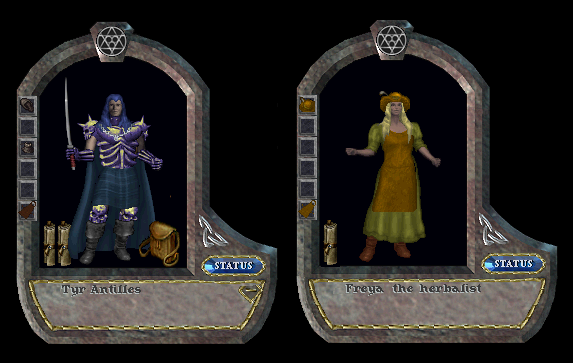
This Is Outlands!
The world's largest and most innovative Ultima Online freeshard, is still going strong after 6.5 years with no signs of slowing down.
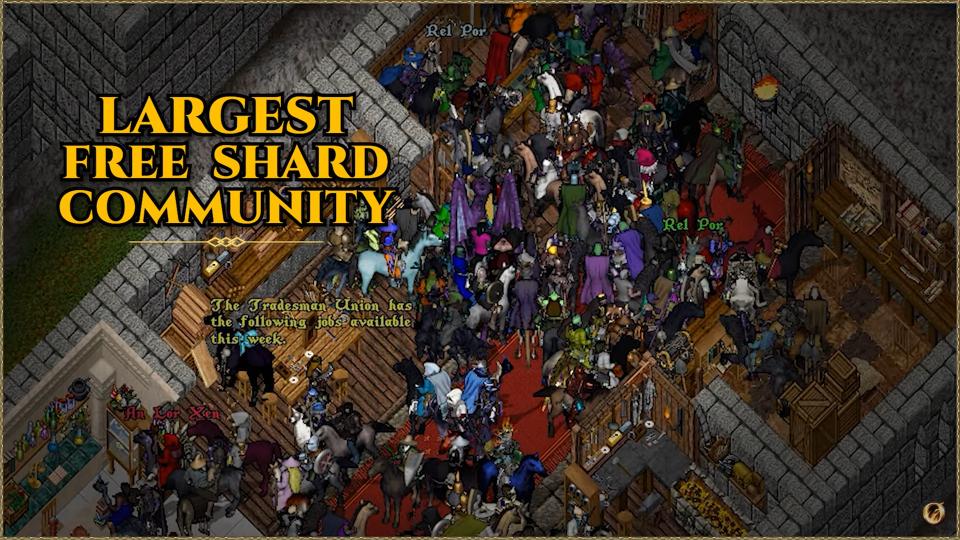
PLAY FOR FREE.
https://www.youtube.com/watch?v=GeWAYhlL5xE
This Is Outlands!
The world's largest and most innovative Ultima Online freeshard, is still going strong after 6.5 years with no signs of slowing down.
PLAY FOR FREE.
https://www.youtube.com/watch?v=GeWAYhlL5xE
LibreOffice is a great, full featured, stable office suite, in my opinion even better then Microsoft Office.

LibreOffice includes six main components enabling you to write texts and articles in Writer, work with spreadsheets in Calc, make presentations and diagrams in Impress, work with images and graphics in Draw, calculate fancy mathematical formulae in Math and store all your important data in Base.

Many more informations about this software and a mirror to download the latest version can be found on Softpedia: https://www.softpedia.com/get/Office-tools/Office-suites/LibreOffice.shtml

Here is a place to see all LibreOffice versions launched since 2011 to date, the last version today being LibreOffice 24.2.3.2 : https://downloadarchive.documentfoundation.org/libreoffice/old/
It costs nothing to try it out and I think is great myself.


Onyx Boox Note AIR 2

I want to state from the beginning that this is not intended to be an impartial, objective review, but my personal opinion and feel after using for several months the Onyx Boox Note AIR 2.
Onyx Boox Note AIR 2 is one of the very few gadgets with an e-ink screen that is not only an e-book reader, but a full fledged tablet. I wanted something like this mostly to read and write without tiring my eyes on an LCD panel, be it a monitor, phone or tablet. Having an open Android 11 OS, I could install on it all the apps I use all the time, directly from Google’s Play Store. Now I am able to read all those huge articles from the net on a great electronic paper screen, just like I would read from a paper, and write all my articles, stories and plans.
The main things I use this tablet for (although I know it can do a lot more) are:
- Read books. It’s 10.3” screen is great for book reading using tablet’s NeoReader or any other good book reading program. If you have a Scribd account, that is awesome too.
- Read articles from the net and surf the web using tablet’s default web browser, NeoBrowser, or any Android web browser loaded from Play Store, like my favorite Vivaldi browser.
- Write notes on the notes section and entire articles, books and other texts on an Office suite. For example I like Collabora Office. For writing, the included handwriting recognition modules worked unexpectedly well in english and other languages. It feels great to write by hand and have my text automatically converted on selectable Writer text.
- Comics and Manga look great but I am not a fan of Boox NeoReader for these, as I feel it blurs the image a little. Fortunately, other comic readers like Moon+ Reader, do the job perfectly.
As I said, reading and writing text on this screen from all sources is a pleasure and a joy for the eyes, this being the great strength of this tablet. Now, the bad part: refresh rate and color. Being an e-ink screen, is refresh rate is from bad to terrible. There are several refresh modes that let you trade accuracy and ghosting for more speed and they are indeed very useful in alleviating the problem to a certain degree, but this is still a slow e-ink screen that is not suited to display things in motion. Of the fastest mode you can even watch clips and movies on it, and it works, but the image is displayed like an old paper photo in movement. As for games, I didn’t even wanted to try.
About colors, they are great, but completely missing. This is a black and white e-ink screen able to display all shades of grey, but that’s all. There are options to adjust the displayed image in several ways though, like Dark Color Enhancement and Light Color Filter, witch helps a lot to improve the image for different scenarios, but no colors. There are some colored e-ink displays on the market, but even on those, the colors are dim and totally inferior to the great colors of IPS LCD’s or even better OLED ones.
Once started, the tablet offers six menus on the left side to access it’s main functions.
- Library: is the place for all books. I don’t really use it because I don’t like the way it mixes all the books and comics on a cluttered disarray. Instead is way easier for me to see them on the Storage section where I can arrange them by folders.
- Store: is the store of Onyx company and I didn’t find anything on it to capture my interest.
- Notes: is the place to write notes by hand and draw. Writing with the pen is very cursive and intuitive and it feels a lot like writing on a glossy paper. The entire writing experience is very fluent and easy. I like I can add my own custom backgrounds for notes by inserting a custom PNG image on Layers. Is great to keep lists, diaries, ideas for articles, quick notes and so on. I like I can select and move text on the page, insert more pages or even using handwriting text recognition. I noticed that this function does not produce results so accurate as like I write by hand directly on the Onyx Keyboard.
- Storage: the way to access the internal memory of the device, usb sticks, etc..
- Apps: my installed apps. The tabled comes with a good Calendar Memo, a voice recorder, a good music app and a web browser, among others. One of the apps, BooxDrop, let me synchronize notes and other things on the tablet with the Boox cloud after I make an account, giving me 5Gb of space.
- Settings: access to device’s settings, firmware update, user’s manual, etc.
One thing I did not like is that it does not support re-charging the battery with an USB HUB while using the same hub for accessing USB sticks or LAN internet. As the USB hub consumes a lot of energy, it basically cannot be used.
Conclusion: A great device to read and write text without stressing the eyes. Bad to watch color photos, clips, movies and play games. For me, that I read and write A LOT, is a godsend device that protects my eyes way better then any device with Super AMOLED, OLED, IPS, VA or God forbid, TN screen.

Open TTD is the successful successor of the great classic Transport Tycoon Deluxe by Chris Sawyer. It enhance and extends the original game in every possible way, in my opinion, giving you the best Transport Tycoon game so far.
The game puts you in the position of a transport company owner, trying to achieve hegemony in transportation by rail, truck, ship and air. Earn as much money as possible transporting passengers, goods, raw materials and even bank assets across cities, resource production sites and industries.
Installation:
1. Download the game from the top-right of the mail Open TTD page and install it on a folder with write access, like D:\Games\OpenTTD.
2. By default the game installs OpenGFX base graphics set, OpenSFX base souns set and OpenMSX base music set, but on the download section you can try others.
If you own the original TTD game and want to use the original graphics, sound and music, just copy all the files from the CD on the OpenTTD installed folder.
3. To have opponents in the game, connect to internet and download some of the good AIs like NoNoCab, Admiral AI, Rodnje and many others and then load them in your game from AI/Game Script Settings button from the main menu.
Good documentation about the game can be found on the official site, like for example this signals tutorial (https://www.openttd.org/news/2021/11/06/explaining-signals-ui-change), and across the net even video tutorials, with a bit of research.

Here I will add Tyr Antilles adventures in Outlands dungeons and other parts of Avadon.
(Online streaming might be laggy. For best quality download the clips and play them locally or just watch them fullscreen.)
* * *
2025.10.25_My skill to run from murderers is something else
I am so gracious in my struggle to escape!
:)

https://mega.nz/file/wGRxxDBQ#74s1xGomkX7jJIjsbc03OvkGjIAOMetwZIKVgkwHOSE
* * *
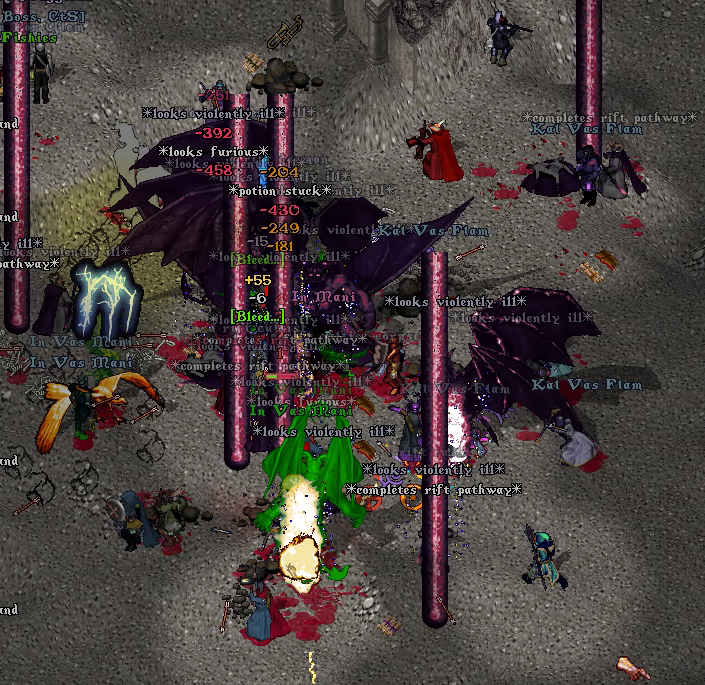
2025.05.25_Spectacular OMNI.
* * *
2025.05.03_May 2025 PATH Treasure Hunting and PVP.

https://mega.nz/file/oOIQ3ADL#SoShQZI0UrbcSPIkshbzznVADiZ8J2nFzfScZ9T1vmU
* * *
2024.11.15_Good hunt with the brave PATH brothers. At least this time I managed to not die to the reds.

* * *
2024.08.11_I recorderd a PvP clip in Nusero today. I am terrible at it. All I can do is to roam around aimlessly until someone eventually kill me.

* * *
2024.05.25_The Wildlands Expansion looks excellent

https://mega.nz/file/4LQSRSDI#HsrJd4Dbh7hCh1vk6rrAqLIvL5AmsGqKomP0QzyL5eE
* * *
2024.05.25_UO Outlands going stronger then ever, surpassing for the first time 5000 players logged in simultaneously! This is how the main Prevalia Bank looks on a normal day:
https://mega.nz/file/gTxRiJ6B#0gUhmcDA-QczqQ-IlPJCURYg1vEId_pPQ0mgLS9fdqE
* * *
2023.12.10_A good OMNI

* * *
2023.08.05_Tyr's PATH promotion, caravan and boss

https://mega.nz/file/cTQjkaaR#lTmcL3u6dEXbEB3C-Ko85XF0umWTs7_gGYRkr2bxW8w
* * *
2023.01.23_Faction Action

* * *
022.10.27_ Anniversary Gift from the statue in Prevalia

https://mega.nz/file/RLJUwIrL#aUufCFcYuBoxnrZYkrF3xT8ZClVuwyf0PhhFsQNIer0
* * *
2022.06.10_Fantastic Ossuary IV run. Vivat PATH!

* * *
2022.01.28_Good treasure hunt Tier 8 at Cathedral St. Francis.

https://mega.nz/file/1Txm2SKB#4Ik9Hmx5xhDh30mLaYTMvkxhxyfq0Kme6aIH4Vz2BMw
* * *
2021.12.29_Amazing adventures in Shadowspire Cathedral.

https://mega.nz/file/JKgmXCjC#A1sb2nL-1SvncEcPjSaxfKB1IHHLWTE4gQPF2pvK3t0
* * *
2021.12.27_My first few naval adventures alone on the seas.

https://mega.nz/file/VL5iEQbJ#i9ibav9T_4Gl0zoo7XGSXzOu-Ck0zA21Y7OaM5l4hVk
* * *
2021.11.11_Run for my life chased by murderous reds.

https://mega.nz/file/dThCGQTB#V8NA7Ob7Mj6ydBDBCo3s9TEK4GYxuR9YyySLu6mQ8Yk
* * *
2021.08.28_Many adventures in various places on the old and new Avadonian continents.Viva UOO.

https://mega.nz/file/AW4GlYSD#uPT8XYN4UjR-5lu9-QkvkXI8LgQonajL4UHIXIWfC_Y
* * *
2021.06.13_Guild hunt in Darkmire Temple with my dear and trusted companions by my side.

https://mega.nz/file/tL4AFQ6D#69pXliOScJGft8iDrqsmHjCKv7aP5spBAgWeOeSnZtg
* * *
2021.04.16_Brave PATH adventurers from the Monster Hunters wing, bring justice to the evil monsters lurking deep in the Avadon dungeons.

* * *
2021.03.17_Inferno Mini-Boss summoned by PATH for Euro Time Zone members. Intense fighting with the forces of evil and in the end we obtained a total victory with no casualty. VIVA to our heroic warriors and mages.

* * *
2021.03.14_Inferno Mini-Boss with DTF and The Alliance.

https://mega.nz/file/8DhSFIYA#oOnqe1BSP22dW8BpbTLnARI-5t5NbZGz8_qh8wa32XI
* * *
2021.03.06_Adventures on Aegis Keep with Gargantua and Hephestus.

* * *
2020.12.27_Stealthing with a friend's belongings on Darkmire Temple, right when a band of murderers decided to raid the dungeon.

* * *
2020.08.01_Crafting an avarite plate suit.

https://mega.nz/file/ofgD0ALB#aAefrVK-SopOHUp_ZuJv2XPZ5Df6BPMXGHhEc2BtLXo
* * *
2020.07.02_Killed by infernus at full health. Still, what a blast!

https://mega.nz/file/QLgT3YIK#JGkIcstd5FLQJR2M6cHvxhV6EJ9vCfC3wgEZG7s5Xe4
* * *
2020.04.04_A stealth nox trapper fighting spectral terrors on one of the most dangerous rooms of Ossuary 4.

* * *
2020.03.21_Tyr naval training.

* * *
2018.12.22_Today I started my adventures on Avadon.

* * *
Civilization IV Beyond the Sword mod Mega-Marathon by Tyr Antilles combined with 40Civs created by Mikel Olson.
https://forums.civfanatics.com/threads/tyrmegma40-mod-mega-marathon-with-34-civs.662336/

For hard-core Civilization IV enthusiasts that feel the huge maps of the game are too small and Marathon mode is too fast, I made this mod that offers several things:
1. create a huge random map several times bigger then the original Huge map of the game (original Huge have scale factor of 32x20 and TyrMegMa40 Huge is 80x50).
2. game speed, tech discovery, construction and others are a lot slower (about three times slower then original Marathon speed of the game), giving you enough time to play every age a lot.
3. adding on top of it the CvGameCoreDLL.dll that is 40Civs mod, you can fill the world with max 34 starting civilizations and 6 colonies, instead of 18 civs that were allowed in the default game. This make the huge map really lively with a lot of civilizations competing with each other.
4. replaced global warming desert terrain with fallout instead by 40Civs mod.
(infos about 40Civs mod by Mikel Olson here: https://forums.civfanatics.com/threads/bts-40-civs-allows-colonies-and-34-civs.234779/)
(infos about the original TyrMegMa with max 18 civs here: https://forums.civfanatics.com/threads/tyrmegma-mod-mega-marathon.637062/)
TyrMegMa40 download mirror: https://1drv.ms/u/s!AqtI3rSJQnG_ljyruYNgjNc9bexk?e=5bCkQK
- - - - - - - - - - - - - - - - - - - - - - - -
Start of the mod:
1. - Close Civ4 if is open
2. - Unpack TyrMegMa40.zip to Civ4BtS mods folder:
* for STEAM version of Civ4BtS, Mods folder is: {the place where your STEAM folder is located}\Steam\steamapps\common\Sid Meier's Civilization IV Beyond the Sword\Beyond the Sword\Mods\
* for the standalone installation of the game (if you installed on the default path) Mods folder is: C:\Program Files\Firaxis Games\Civilization4\Beyond the Sword\Mods\
* for Civilization 4 Complete DVD version the Mods folder is: C:\Program Files (x86)\2K Games\Firaxis Games\Sid Meier's Civilization 4 Complete\Beyond the Sword\Mods\
3. - Clear the cache from Civ4 cache folder - just delete all files inside cache folder from c:\Users\{your win user}\AppData\Local\My Games\beyond the sword\cache\
4. - Fire up Civ4BtS and launch the mod from Advanced > Load a mod > TyrMegMa40
The game will restart loading the mod. In upper right corner will be written the name of the mod: TyrMegMa40
5. - At the beginning of the game choose:
* Custom game.
* Map type (Archipelago works best, but other types can be suitable. You can check how a new map is generated by entering the map editor, then restarting a new game with that map type.)
* Size: Huge (This is the one I modified and is about six times bigger then the original huge map of the game. All other sizes are game's default.)
* Speed: Marathon (This is the one I modified. All other speeds are game's default.)
* Deselect Victory: Time victory (To not have the game end just when things start to become interesting.)
* Manually add up to maximum 34 players.
* The other choices are optional.
Required to finish such a game: a strong computer and a TON of patience and free time. Right now this is my favorite way to play Civilization and I like it a lot more then the newer Civ 5 or Civ 6. Enjoy.
Screenshots
1. Game on turn 2167 on year 1931 AD. Notice the size of the game window on the mini-map on the bottom-right corner of the screen. That big the map is.

2. The crowded relations screen.

3. The big planet. This complexity if what makes this mod so wonderful.


Known issues:
1. The map is generated with some lines stretching from some mountains. It doesn't look too bad and it won't affect the game at all.
2. Saves. Sometimes, when loading a save file directly from the game results in a memory allocation failure, then the game must be closed. The good news is that the next time the game is opened, it load the save correctly. A workaround to load a save without problems is to exit to main menu first, unload the mod, then open the desired save file. It will work without issues and is a lot faster.